

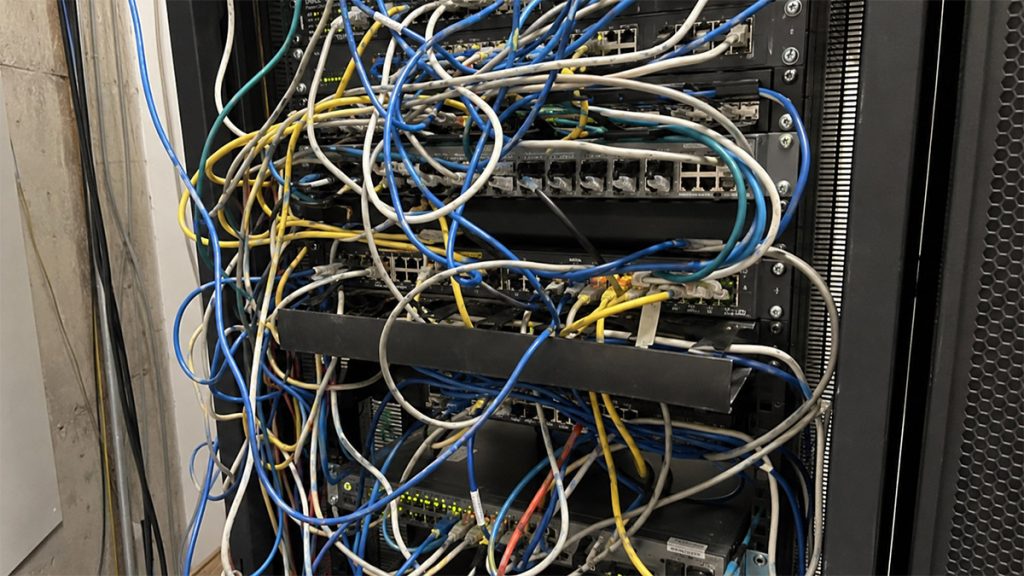
Cable management is a little like flossing. Everyone agrees it’s important, and most people intend to do it. Then time gets tight and the good habits slip. What should have been a two-minute job becomes a lengthy scraping session at the dentist’s office.
Inside a network rack, however, neglect can cost far more than a stern lecture from a judgmental hygienist. Poorly routed or unlabeled cables can turn a routine switch replacement into an extended outage. One incorrect connection or a cable that cannot be traced quickly may leave users waiting while a technician sorts through the spaghetti.
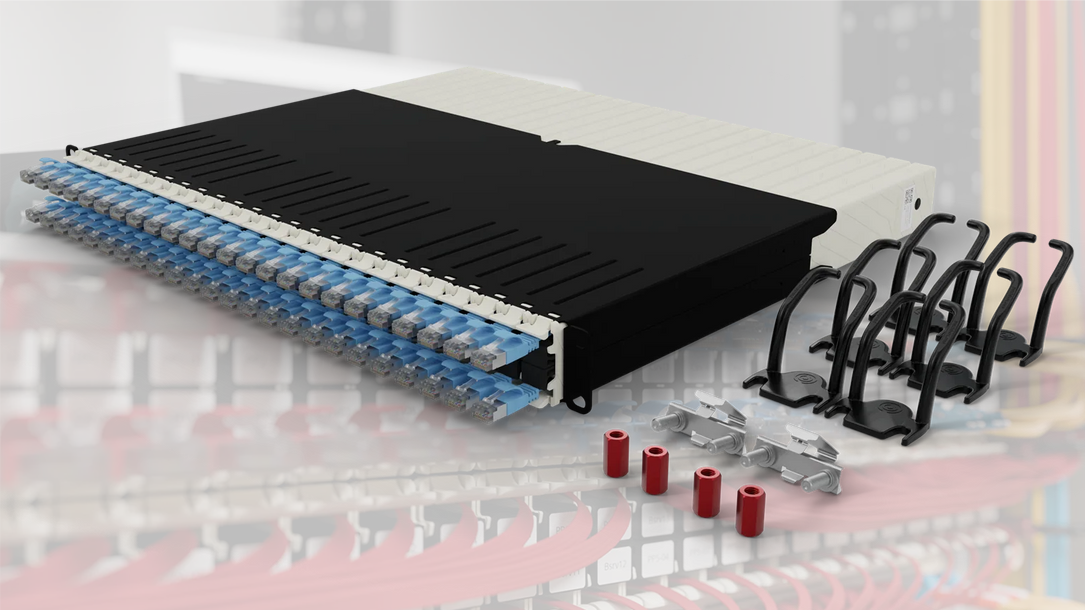
Patchbox.one attempts to prevent that outcome by taking much of the decision-making out of cable management. Its 1U frame holds 24 plastic cassettes, each containing a retractable Ethernet or fiber-optic cable. Pull out only the length needed, connect both ends, route the cable through the included Patchcatch guides and lock the independent cable stoppers. Excess cable remains inside the cassette instead of hanging from the rack.
To be clear, I did not deploy a fully populated Patchbox system in a production data center and live with it for six months. This review is an evaluation of the system based on hands-on examination and testing of its Ethernet cassettes combined with past experience working with racks and conventional cable management.
Patchbox.one systems or a-la-carte
Patchbox.one is sold in several configurations. The Ethernet version is available with shielded or unshielded Cat 6A cable in an 8RU model or a deeper 30RU model. The shorter cassettes are intended to span up to eight rack units, while the longer version covers up to 30. Patchbox also sells fiber-optic configurations, although I was not provided one for testing.

The 8RU Ethernet system currently sells for $618 and includes 24 cassettes, the frame, six Patchcatch cable guides, two /dev/mount fasteners and four hex nuts. The $721 30RU version uses deeper cassettes and mounting rails. Replacement Ethernet cassettes cost $24 for the 8RU length and $28 for the 30RU version. The complete 30RU fiber system costs $824.
The preconfigured Ethernet systems can be ordered with STP or UTP cable in several colors. A standard configuration appears to use the same color for all 24 cassettes, but individual cassettes, including a 46RU variant, can be purchased separately for replacements or more colorful custom builds.
Patchbox specifies its flat Ethernet cables to Cat 6A channel standards. The UTP version uses 30 AWG conductors and supports PoE++ Type 3, while the thinner shielded version uses 36 AWG conductors and supports standard PoE. Both use stranded copper conductors and snagless RJ45 connectors. My samples appeared well made and performed without issue in testing at up to 2.5G.
Installation takes a little installation
Installing Patchbox.one involves more work up front than opening a bag of patch cables and plugging them in. The 8RU frame mounts using Patchbox’s tool-free /dev/mount hardware, while the deeper 30RU model uses mounting rails. The cassettes then slide into the frame until their retention clips click into place. Patchcatch guides mount along the sides of the rack to keep the cables aligned with the appropriate rack units.
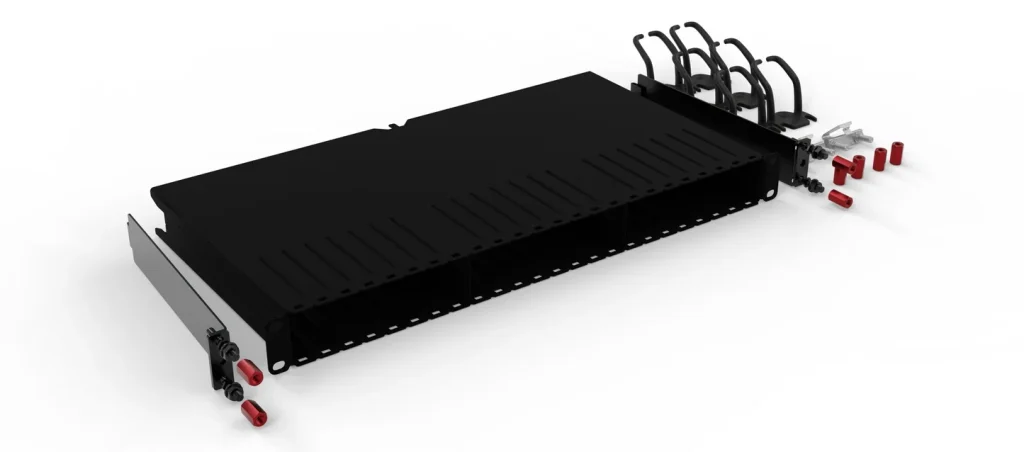
Patchbox recommends placing the system directly above or below a switch. For a 24-port switch, every second cassette can be installed upside down so the connectors line up without forcing the flat cables to twist. Once connected, the cables are routed through the Patchcatch guides and the two independent stoppers are pressed to hold each end at the desired length.
That sounds more involved than conventional patching because it is. The payoff is supposed to come after installation, when the system continues enforcing the same layout through future moves, additions and hardware replacements.
Retractable, with a few catches
The cassettes are made primarily of plastic, but they do not feel cheap. The housings are solid, the connectors are securely attached and the internal mechanism provides plenty of resistance. My rough measurements found the shorter cassette offered a maximum span of about 40 inches, while the deeper model reached roughly 76 inches.
Each cable can be extended from one end or both ends simultaneously. The retraction mechanism feels tighter and works more consistently when both sides have been extended. When I pulled only one end, the cable occasionally stopped before retracting completely. It was not difficult to finish the job manually, but the behavior kept the mechanism from feeling quite as effortless as a retractable badge reel or tape measure.
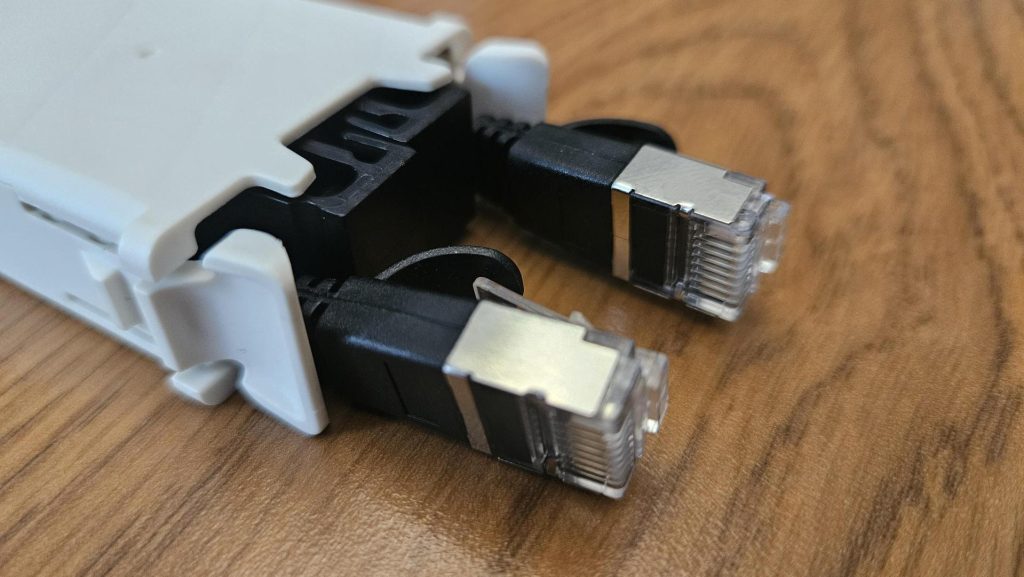
The two independent brakes are a smart addition. They let the installer lock either side while adjusting the other, preventing the cable from pulling against a switch or patch-panel port. With the brakes released and both ends extended, the retraction action was strong and smooth.
Removing a cassette is a two-step process. The retention clips do not press down easily when the cable is fully retracted because the connectors sit directly in front of them. Pulling the cable out slightly creates enough room to squeeze the locks and remove the cassette. And it turns out that’s by design because it’s literally the removal process described in Patchbox’s manual.
The techno-nerd in me couldn’t overcome the urge to see how the retraction system worked, so I pried one of the cassettes open to get a peek at it’s innards. Patchbox warns that doing so voids the 10-year warranty. Naturally, I sacrificed mine in the name of journalism and a photograph.
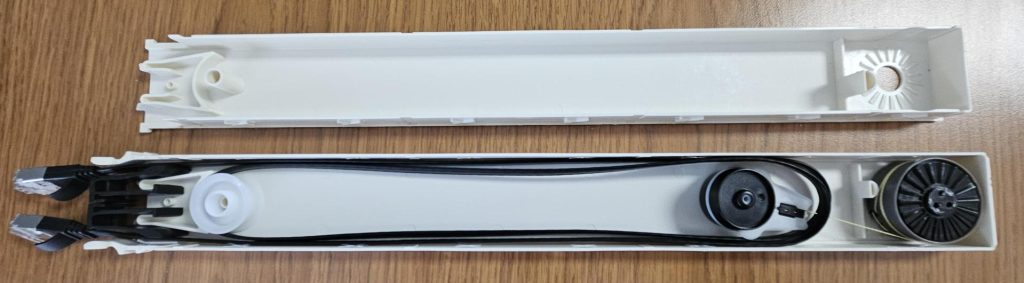
Somewhere, a warranty administrator just felt a disturbance in the force.
Flat cables require flat-cable discipline
Flat Ethernet cables make sense inside this system. They stack neatly, fit through the Patchcatch guides and take up less lateral space than bundles of thicker round cables. They are also more likely to twist or fold awkwardly if routed carelessly.
An installer still needs to pay attention while guiding them along the rack. The manual’s suggestion to flip alternating cassettes is not cosmetic. It helps keep the connectors aligned and prevents the short cable runs from turning sideways. Patchbox keeps cable chaos in check, but it cannot completely compensate for careless routing.
Space saving or space taking?
Patchbox says its system can provide up to 50% more usable rack space. It does this by replacing conventional horizontal cable managers with its 0RU Patchcatch guides. That claim needs context. Compared with a design using multiple horizontal managers, Patchbox may save space. Compared with installing no cable manager and plugging patch cables directly between a switch and patch panel, it does not. The Patchbox frame itself consumes one rack unit.
Of course, using no management system is how many racks end up looking like somebody dropped a bowl of networking linguine. Patchbox is not the absolute minimum-space option. It is a standardized management option designed to preserve order without consuming additional rack units for routing hardware.
The real product is consistency
The most immediate advantage isn’t the cable retraction. Rather, it’s having the right amount of cable available without making custom patch cords or carrying bags of several lengths. The installer pulls out what is needed and the remainder stays in the cassette. There are no long loops to hide, tie down or leave dangling in front of the hardware.
The greater benefit comes later. Proper cable management and labeling take time, and both are easy to skip when an engineer is trying to restore service or finish a job. That shortcut may save 15 minutes today, then cost an hour when someone replaces a switch two years later and can’t determine where anything goes.
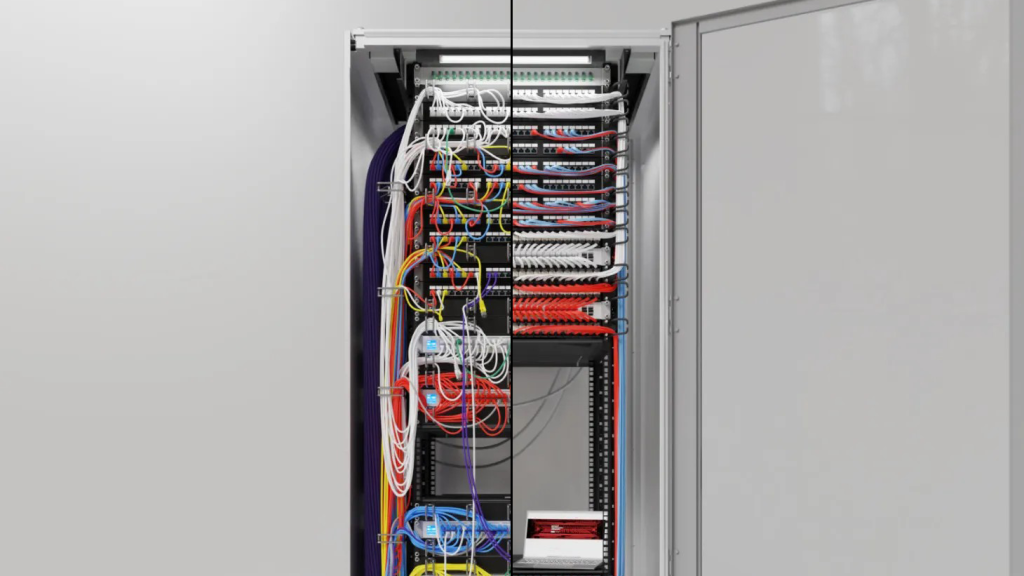
Patchbox makes neatness the path of least resistance. Its structure encourages each connection to follow the same route. Unused cables retract. Labels can be attached to the front of each cassette. Someone working on the rack later inherits the same system instead of having to interpret the last technician’s creative decisions.
That also matters for MSPs installing equipment at a customer’s place of business. A tidy rack does not necessarily perform better than an electrically identical untidy one. But it looks organized, deliberate and professional. Customers may not understand the finer points of network design, but they can recognize the difference between a clean installation and a jumbled mess of wires.
The internet has opinions
Network engineers rarely agree on cable management, so I did what one naturally does when seeking unfiltered opinions or a reason to despise humanity that tiny bit more. I searched a few networking related subreddits. No surprise, Patchbox generates particularly divided reactions. One user who had used it at a production site said replacing switches was faster and the rack stayed tidy. Another dismissed the system as excessive, arguing that it uses an extra rack unit and still requires cable routing. Others prefer buying short cables in several lengths and connecting patch panels directly to switches.
A separate discussion showed a similar split. Some commenters argued that short patch cords are cheaper and cleaner. Meanwhile, administrators responsible for larger sites said that approach becomes difficult when hundreds of available drops are connected to a much smaller number of active switch ports. One commenter managing a large office environment said they would welcome Patchbox. It was better than dealing with hundreds of individual cables per switch.
Both sides have a point. A rack with adjacent switches and patch panels can look excellent using inexpensive 6-inch or 1-foot cables. Carefully selected cables of different lengths can also produce a clean result. Those approaches cost far less than Patchbox.one, but they depend on careful planning and continued discipline from everyone who touches the rack.
Final thoughts
A 24-pack of decent 1-meter Cat 6 cables will cost around $50. At more than $600, Patchbox.one clearly is not competing on cable price. It adds hardware, occupies one rack unit and takes longer to install than plugging in conventional cords.
Patchbox.one is, in some ways, an overengineered solution to a problem that can be solved with inexpensive cables, labels and enough patience. The trouble is that patience and proper procedure tend to disappear when the phone is ringing and users are waiting.
What customers are paying for is standardization, faster future maintenance and fewer opportunities for technicians to leave behind a mess. If better organization prevents even one hour of avoidable downtime or saves several technicians from tracing and rerouting cables over the life of a rack, the price difference becomes much easier to defend.
Operational maturity extends into every part of an IT business, including the rack. Patchbox cannot make an engineer label a connection correctly. It does, however, remove many of the other opportunities to cut corners. The result is clean, professional and easier for the next person to understand. For MSPs that value technician time and want every installation to follow a repeatable standard, that may be worth far more than the cables inside it.
Specifications and pricing (U.S. pricing at the time of review)
Product: Patchbox.one Cat 6A cable-management system
Capacity: 24 retractable cable cassettes
Rack space: 1U
Ethernet options: Cat 6A STP or UTP
Cable lengths: 8RU or 30RU configurations
8RU Cat 6A system: $618
30RU Cat 6A system: $721
30RU fiber-optic system: $824
Replacement Ethernet and fiber-optic cassettes: $24 to $35, depending on length
Warranty: 10 years (provided curious technology editors do not open them)
As ChannelPro’s online director and tech editor for over a decade, Matt Whitlock has spent years blending sharp tech insight with digital know-how. He brings more than 25 years’ experience working in the technology industry to his reviews, analysis, and general musings about all things gadget and gear.
Images: Matt Whitlock / The ChannelPro Network, Patchbox, Dall-E