
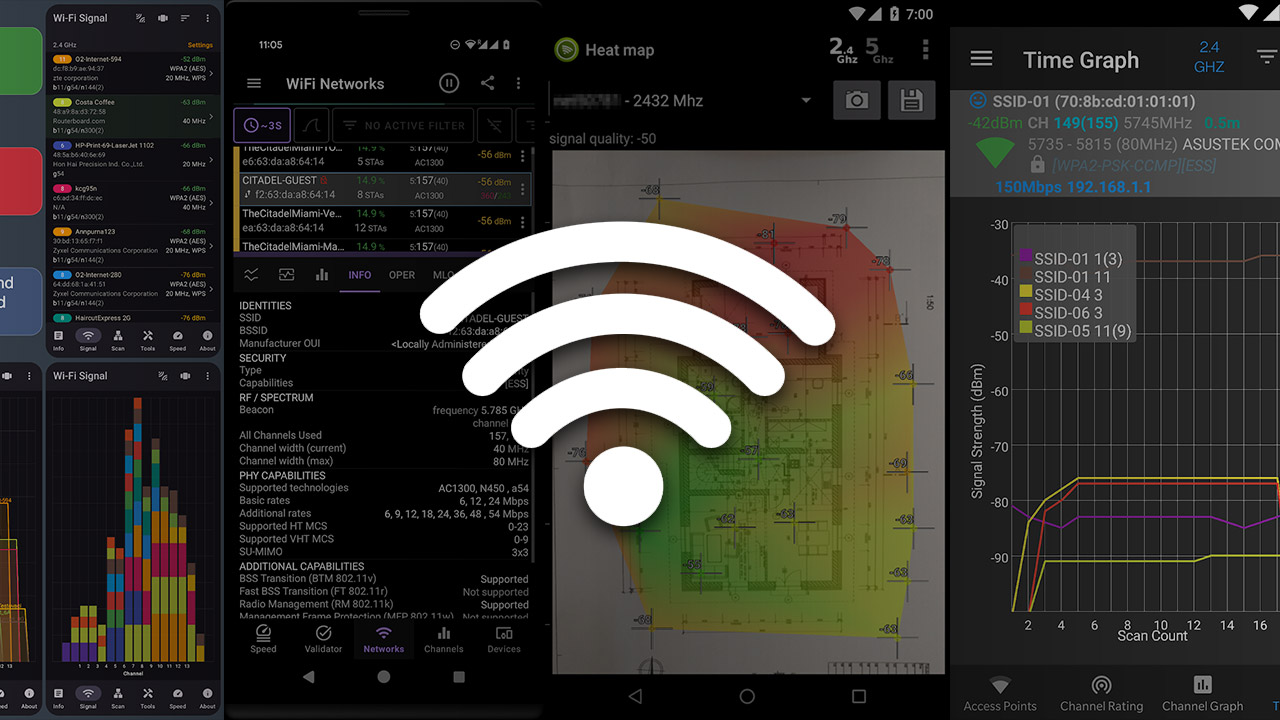
Wi-Fi has a bad habit of behaving perfectly while the technician is watching. The moment you leave the customer site, the dropped connections, sluggish performance and mysterious dead zones return. A Wi-Fi analysis app will not solve every wireless problem, but it can give MSP technicians a fast look at signal strength, channel congestion, access point placement, roaming behavior and the neighboring networks competing for airwaves.
That makes these apps useful for initial assessments, troubleshooting calls and post-installation sanity checks. This is especially true when carrying a full wireless survey kit would be excessive. However, most mobile “spectrum analyzer” apps are really Wi-Fi scanners or channel analyzers. They can visualize Wi-Fi networks and their channel usage. They generally cannot identify non-Wi-Fi interference from microwave ovens, wireless cameras, Bluetooth equipment and other devices without dedicated spectrum analysis hardware.
The difference is particularly noticeable on the iPhone. Apple does not offer a general-purpose iOS API for scanning nearby Wi-Fi networks, so many iOS tools can analyze only the network to which the device is connected. Android gives apps considerably more visibility into nearby access points, while hardware accessories can fill some of the gaps on iOS.
The selections below were chosen based on store ratings, review volume, feature depth and usefulness in the field. They are presented as multiplatform options first, followed by Android and iOS exclusives. Ratings, review counts and prices are subject to change.
 Ubiquiti WiFiman
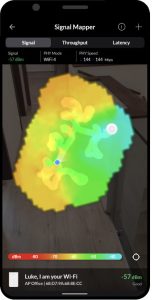
WiFiman is an easy recommendation for UniFi-centric MSPs and is useful even when Ubiquiti hardware is nowhere in sight. The free, ad-free app combines Wi-Fi signal and channel information with:
- Internet speed testing
- Latency measurements
- Device discovery
- Subnet scanning
- Visibility into nearby Bluetooth Low Energy devices
Android users receive the more complete standalone Wi-Fi scanning experience. Meanwhile, the iOS edition offers network discovery, performance testing and deeper integration with UniFi hardware. It is approachable enough for quick service calls but offers enough information to remain useful during more involved troubleshooting.
Platforms: Android and iOS (and Windows, Mac, and Linux)
Price: Free
Store ratings: 4.7 stars from about 313,000 Google Play reviews; 4.8 stars from about 33,000 App Store ratings.
 Network Analyzer Pro
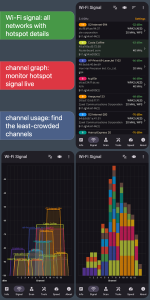
Network Analyzer Pro is less a single-purpose Wi-Fi analyzer than a network Swiss Army knife. The Android version provides graphical and text-based views of nearby networks, channel utilization, signal strength, channel width and activity across the 2.4 GHz, 5 GHz and 6 GHz bands. Both versions add diagnostics that MSP technicians routinely need, including:
- LAN discovery
- Ping
- Traceroute
- Port scanning
- DNS lookups
- WHOIS information
- Internet speed testing
The iOS edition cannot perform the same broad nearby-network scan as Android, but it remains an unusually capable pocket troubleshooting kit with no advertising or subscription requirement.
Price: $4.99 for Android; $3.99 for iOS
Store ratings: 4.7 stars from about 19,100 Google Play reviews; 4.8 stars from about 9,100 App Store ratings.
 NetSpot WiFi Analyzer
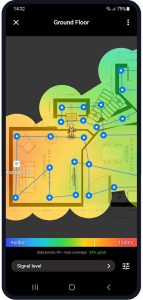
NetSpot earns a spot because its floorplan and heat map workflow address a different problem than the typical channel analyzer. The Android app can examine nearby access points, show channel and band information, and perform active or passive surveys across the 2.4 GHz, 5 GHz and 6 GHz bands.
On iOS, the app creates active heat maps using speed, latency and connectivity measurements from the network to which the device is connected, rather than performing a broad passive scan of neighboring networks. The ability to walk a small office, collect measurements and show a customer where performance deteriorates can be more valuable than another screen full of overlapping bell curves.
Price: Free download with in-app purchases. iOS options include $8.99 per month or $29.99 for lifetime access. Android pricing varies by purchase.
Store ratings: 3.9 stars from about 6,300 Google Play reviews; 3.7 stars from 338 App Store ratings.
 WiFi Analyzer by olgor.com
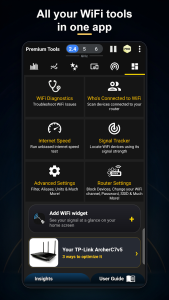
With more than 10 million Google Play downloads, WiFi Analyzer is one of the most widely used Android options in this category. It displays nearby access points, signal history, channel overlap, approximate distance, security information and activity across the 2.4 GHz, 5 GHz and 6 GHz bands. Its channel recommendations can help technicians identify less-congested options, while the network scanner provides a quick look at devices connected to the local network. The app also offers signal and channel widgets, device alerts and automated analysis intended to translate wireless data into more approachable recommendations.
Platform: Android
Price: Free; contains advertising and offers in-app purchases
Store rating: 4.6 stars from about 299,000 Google Play reviews.
 WiFi Monitor: network analyzer
WiFi Monitor presents a useful combination of wireless detail and conventional network diagnostics. It reports the connected network’s:
- SSID
- BSSID
- Manufacturer
- Signal level
- Channel
- Frequency
- Connection speed
- Security
- Gateway
- DNS configuration
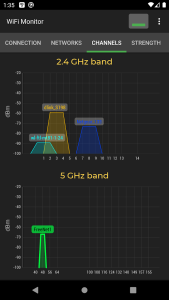
Separate views chart nearby networks by channel, compare access point signal strength and track performance over time. Technicians can also scan the LAN for connected devices and collect enough information to determine whether a complaint is rooted in weak coverage, congestion or a problem elsewhere on the network.
Platform: Android
Price: Free; contains advertising
Store rating: 4.5 stars from about 44,300 Google Play reviews.
 Wifi Analyzer — Network Tools
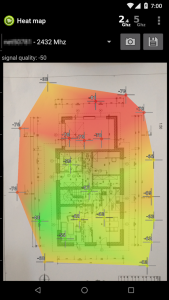
Wifi Analyzer — Network Tools tries to put most of a technician’s basic wireless and IP troubleshooting tools under one roof. Its Wi-Fi features include interactive signal graphs, channel-overlap analysis, channel recommendations, signal history and support for the 2.4 GHz, 5 GHz and 6 GHz bands. The app also includes:
- Internet and local network speed tests
- LAN discovery
- Ping
- Traceroute
- DNS tools
- Port scanning
- WHOIS lookups
- Floorplan heat mapping
The interface is busy, but that may be a reasonable trade-off for technicians who prefer carrying one crowded toolbox instead of several tidy ones.
Platform: Android
Price: Free; contains advertising
Store rating: 4.5 stars from about 22,500 Google Play reviews.
 WiFi Analyzer by VREM
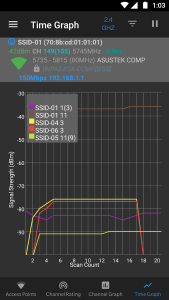
VREM’s WiFi Analyzer is the no-nonsense choice for technicians who value transparency and do not need an account, cloud service or parade of advertisements. The open-source Android app charts nearby access points by channel, tracks signal strength over time and identifies crowded channels. It is also designed to request as few permissions as possible and does not require internet access, reducing the concern that collected network information is being transmitted elsewhere. The presentation is functional rather than flashy, which is not necessarily a criticism when the goal is to diagnose a customer’s Wi-Fi before lunch.
Platform: Android
Price: Free; no advertising
Store rating: 4.1 stars from about 28,700 Google Play reviews.
 analiti — Speed & WiFi
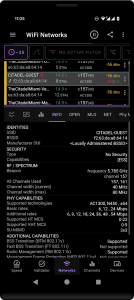
analiti is aimed squarely at users who want more detail than a basic channel graph. Its channel analyzer reports:
- Co-channel and adjacent-channel interference
- Overlapping basic service sets
- Estimated client activity
- Airtime utilization
Additional screens expose authentication methods, encryption ciphers, PHY information, connection rates, roaming behavior and Wi-Fi 6, Wi-Fi 6E and Wi-Fi 7 capabilities. It also includes iPerf3 testing, bufferbloat measurements, LAN scanning, packet capture and data export. The sheer amount of information can feel like drinking from a fire hose, but experienced MSP technicians may appreciate having access to the underlying detail instead of a simplified green-or-red verdict.
Platform: Android
Price: Free; contains advertising and offers in-app purchases
Store rating: 4.3 stars from about 9,950 Google Play reviews.
 Apple AirPort Utility
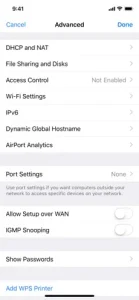
AirPort Utility is an odd entry. Its primary purpose is managing Apple’s discontinued AirPort networking hardware, not competing with modern Wi-Fi analysis suites. Hidden inside the free app, however, is a Wi-Fi scanner that can list nearby networks along with their channels and received signal strength indicator values. Technicians must first enable the Wi-Fi Scanner option under AirPort Utility in iOS Settings. It is neither the prettiest nor the most frequently updated tool in the truck. However, it is one of the few ways to perform a basic nearby-network scan directly from an iPhone without carrying an accessory.
Platform: iOS
Price: Free
Store rating: 3.1 stars from about 2,000 App Store ratings.
The right tool for the first look
None of these apps replaces a professional site survey platform or a true spectrum analyzer capable of identifying non-Wi-Fi interference. They can, however, help a technician determine whether a problem looks like weak coverage, channel congestion, poor access point placement, a roaming issue or something that warrants bringing in more specialized equipment.
That is exactly the information needed for many service calls. A capable mobile analyzer can turn a “the Wi-Fi gets weird sometimes” complaint into a reproducible starting point. That is already a substantial improvement over staring at the signal bars for insight.
For techs that deal with onsite A/V, adding an audio spectrum analysis app can turn a cellphone into handy toolkit for just about any service call.
As ChannelPro’s online director and tech editor for over a decade, Matt Whitlock has spent years blending sharp tech insight with digital know-how. He brings more than 25 years’ experience working in the technology industry to his reviews, analysis, and general musings about all things gadget and gear.
Images: Google, Apple