
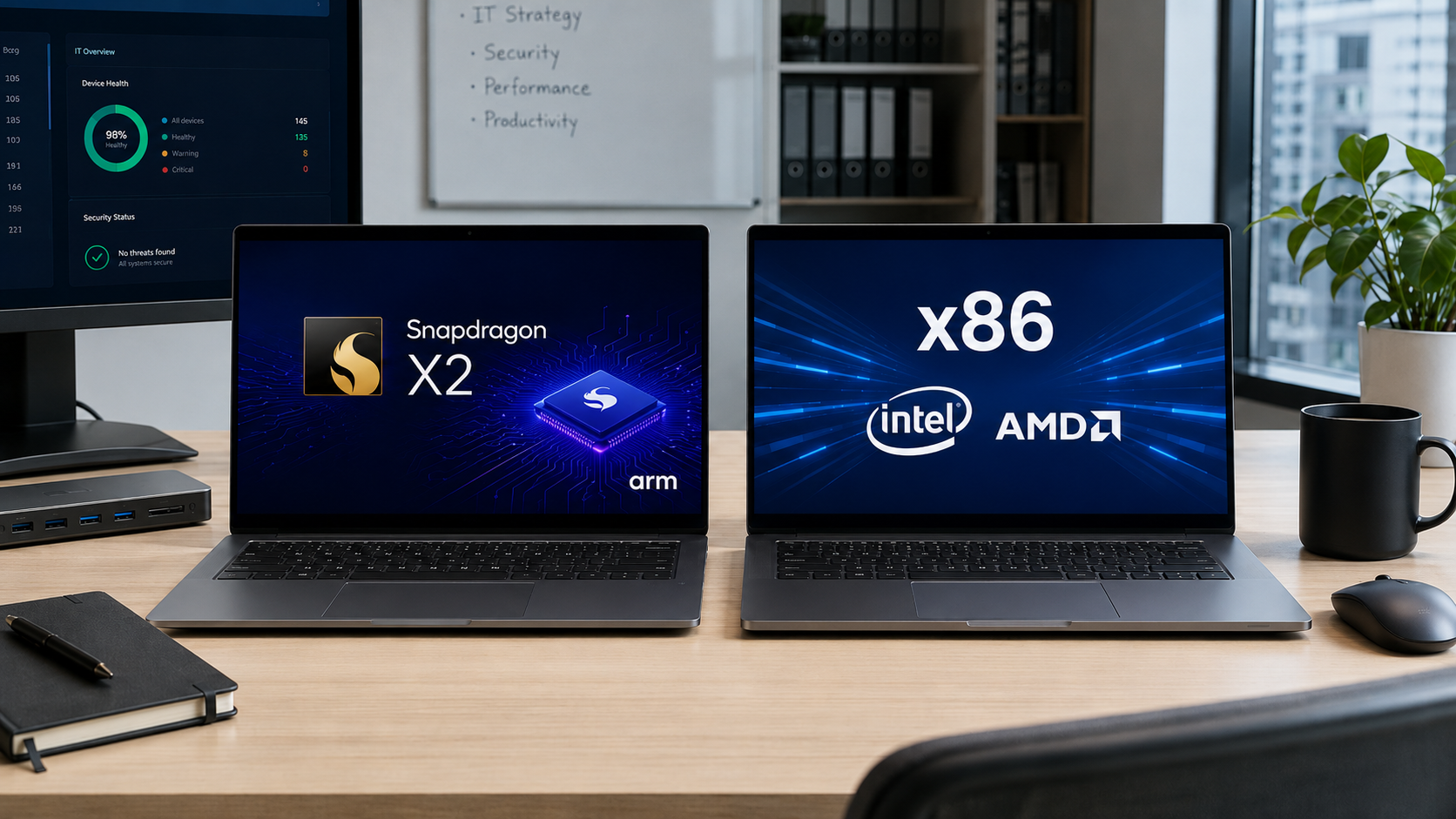
The technology industry loves first-generation products. IT departments often prefer to let someone else test them.
That’s more experience than cynicism. New platforms can be exciting, but they also tend to arrive with rough edges and surprises that only appear after real users start doing real work. Plenty of businesses took that approach with the first wave of Snapdragon X PCs.
Qualcomm’s first-generation Snapdragon X processors made a convincing argument that Arm-based Windows PCs could deliver strong performance and exceptional battery life. They also carry years of baggage from earlier Windows on Arm devices, including limited software support, poor performance, inconsistent peripheral compatibility, and the lingering suspicion that buying one meant accepting compromises.
The new Snapdragon X2 generation does not erase every concern or suddenly make Intel and AMD obsolete. It does make Arm-based Windows PCs look less like an experiment and more like a legitimate category of business computer.
Now that PCs based on the new Snapdragon X2 are finally working their way into the market, MSPs are faced with an opportunity to help clients figure out whether Arm PCs are something to consider.
Why the 2nd-generation Snapdragon X2 matters
There is a reason buyers often hold off on the first generation of anything. Early products prove the concept while exposing problems and limitations. Second-generation products are where vendors broaden support and make the technology easier to recommend without a long list of disclaimers.
The original Snapdragon X systems established that an Arm-based Windows laptop could deliver strong everyday performance, excellent battery life and a generally normal Windows experience. Snapdragon X2 builds on that foundation with faster processors, more AI horsepower and a broader range of systems.
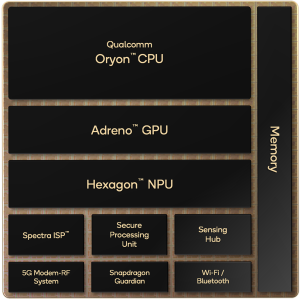
Snapdragon X2 Diagram
More importantly to MSPs, the ecosystem around the hardware is catching up. A laptop can be fast, cool and efficient. But if the RMM agent, endpoint protection software, VPN client or printer driver does not work, the customer will not care how impressive the processor looks on paper.
Native Arm support is now more abundant. Major browsers, Microsoft 365 applications, collaboration platforms and a growing number of security and management tools offer native Arm versions. Microsoft’s Prism emulation layer has also improved, allowing many traditional x86 and x64 applications to run without users giving the underlying architecture much thought.
For an employee who spends the day in Outlook, Teams, a browser and a few cloud applications, the experience may feel entirely ordinary.
That is a compliment.
The business case for Arm
The most obvious advantage is still battery life. Arm processors were designed around efficiency. That can translate into laptops that run longer, stay cooler and maintain more consistent performance away from an outlet.
For a user who works at the same desk every day, that may not move the needle. For an executive, salesperson, consultant or field employee moving between meetings and customer sites, it can make a meaningful difference. Nobody buys a business laptop because they enjoy hunting for an outlet in an airport.
Then there is AI. Qualcomm lists Snapdragon X2 Plus at 80 TOPS and Snapdragon X2 Elite at up to 85 TOPS. That is considerably more than the 40-plus TOPS required for a Copilot+ PC and gives software developers room to run more AI processing locally. Many organizations are still figuring out what to do with the NPUs they already have, but PC refresh cycles are measured in years. Buying enough local AI capability for what a client may need tomorrow is reasonable.
Arm also fits neatly with the direction many SMB environments are moving. If a client relies heavily on Microsoft 365, browser-based applications and cloud services, efficiency and mobility may matter more than compatibility with every Windows application written since the Clinton administration.
Where Arm PCs make sense
Arm PCs are easiest to recommend when the user’s workflow is modern, predictable and mostly cloud-based.
Executives and sales professionals are natural candidates. They tend to value battery life, portability and reliable performance on the road. Knowledge workers who spend most of their time in Microsoft 365, Teams, Zoom and web applications may also see few downsides.
Cloud-first SMBs could be another good fit, especially when the MSP has standardized the client on a known set of applications and services.
Arm may also make sense as a targeted option rather than a fleetwide standard. An MSP does not need to move an entire client to Arm. Adding one or two validated models to the approved hardware catalog may be enough.
That lets the MSP match the device to the user instead of turning processor architecture into a corporate philosophy.
Where x86 is the safer choice
The biggest caution is still compatibility, particularly below the application layer.
Microsoft says native Arm versions are now available for applications representing 90% of total user minutes, but 90% is still not 100%. While Windows can emulate many x86 and x64 applications, drivers must be built for Arm. Software that depends on kernel-level components, specialized hardware or older peripherals still needs native Arm support. That can affect security tools, VPN clients, printers, scanners, licensing devices and vertical-specific equipment.
This is where an otherwise appealing Arm PC can become an expensive support ticket.
- Clients with older line-of-business applications deserve extra scrutiny. A program may look simple from the desktop while relying on an outdated database, plug-in or driver underneath. Medical offices, manufacturers, retailers and engineering firms often use hardware and software that remain in service far longer than the PCs connected to them.
- Power users are another group where x86 may remain the better fit. Developers, engineers, creative professionals and employees whose work depends on high-end discrete graphics, local virtual machines or specialized applications may encounter limitations that ordinary productivity users never see.
- There is also an operational issue for the MSP. Supporting a few Arm systems is easy when they fit cleanly into the existing stack. It becomes less attractive when those systems require separate deployment steps, workarounds or exceptions. Saving a customer a few hours of battery anxiety is not worth creating a permanent branch in the support playbook.
For clients that value broad compatibility and predictability above everything else, x86 remains the safest recommendation.
A new option, not a new default
Snapdragon X2 does not make the decision between Arm and x86 disappear. It makes that decision worth having.
The first generation proved that Qualcomm could produce a competitive processor for the PC market. The second arrives with stronger hardware, better emulation and a healthier software ecosystem. That is enough to move the conversation from curiosity to consideration.
For the right user, an Arm PC can deliver excellent battery life, strong everyday performance and a more mobile experience without creating significant compromises. For the wrong user, it can create a compatibility problem that no amount of battery life will make less irritating.
The goal is not to choose a side in an architecture war. It is to understand the client’s applications, support stack and users needs well enough to know when Arm creates an advantage and when x86 avoids a problem.
Snapdragon X2 gives MSPs another credible option. They just have to know where it belongs.
As ChannelPro’s online director and tech editor for over a decade, Matt Whitlock has spent years blending sharp tech insight with digital know-how. He brings more than 25 years’ experience working in the technology industry to his reviews, analysis, and general musings about all things gadget and gear.
Images: DALL-E, Qualcomm